
Deposit Money into Online Earning APK
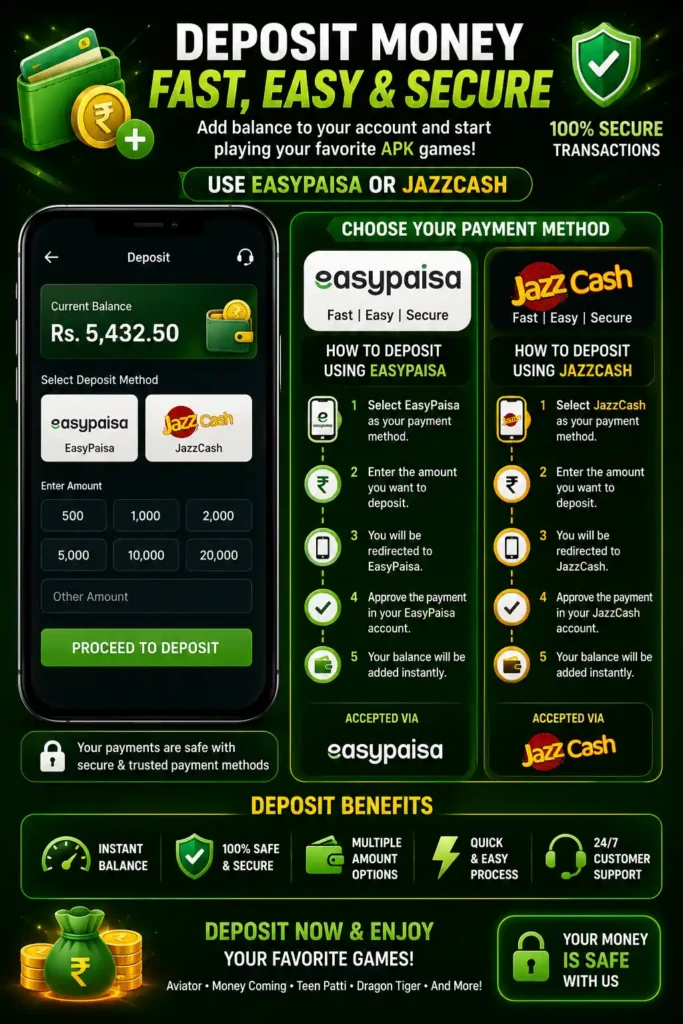
Adding money to your Online Earning APK account is quick and simple. We support Pakistan’s most trusted digital payment methods, including JazzCash and EasyPaisa, making it easy for users to fund their accounts securely.
Whether you are depositing for the first time or are already using the app regularly, this guide explains each step clearly so you can complete your payment without confusion.
🧭 Quick Navigation
Not ready to upgrade? Or need to access your account?
- Need to check your balance? Login to Your Dashboard
- New to the platform? Create a Free Account
- Want the app experience? Download APK
Why Deposit into Online Earning APK?
Depositing funds allows you to access more earning opportunities available inside the app. After adding balance, you can unlock premium features, participate in available activities, and enjoy a smoother experience.
Our payment process is designed to be:
- Fast and secure
- Beginner-friendly
- Available 24/7
- Compatible with JazzCash and EasyPaisa
- Protected with encrypted payment processing
Supported Payment Methods
Online Earning APK currently supports the following payment options for users in Pakistan.
JazzCash
JazzCash is one of Pakistan’s most popular mobile wallet services. Users can deposit directly through their JazzCash mobile account or by visiting any nearby JazzCash agent.
Benefits include:
- Instant payment confirmation
- Available across Pakistan
- Secure transactions
- Easy mobile app payments
EasyPaisa
EasyPaisa offers another reliable way to deposit money into your Online Earning APK account.
Advantages include:
- Fast transfers
- Wide agent network
- Mobile wallet support
- Simple payment process
Our secure payment system processes JazzCash and EasyPaisa deposits quickly, allowing your account balance to update as fast as possible
How to Deposit Using JazzCash
Follow these simple steps:
- Open the Online Earning APK.
- Log in to your account.
- Go to the Deposit section.
- Choose JazzCash as your payment method.
- Enter the amount you want to deposit.
- Follow the payment instructions displayed in the app.
- Complete the payment through your JazzCash wallet.
- Wait for confirmation.
- Your balance will appear in your account after successful verification.
How to Deposit Using EasyPaisa
Depositing through EasyPaisa is equally simple.
- Open the Online Earning APK.
- Navigate to the Deposit page.
- Select EasyPaisa.
- Enter your preferred deposit amount.
- Complete the transaction using your EasyPaisa wallet.
- Confirm the payment.
- Once we verify your payment, we instantly update your Online Earning APK account balance.
Minimum Deposit Amount
The minimum deposit amount depends on the current promotion or payment policy shown inside the application.
Before making a payment:
- Check the latest minimum amount.
- Confirm your payment details carefully.
- Use your own JazzCash or EasyPaisa account whenever possible.
Deposit Processing Time
We process most JazzCash and EasyPaisa deposits within a few minutes after confirming your payment.
Typical processing times:
- JazzCash: Usually within 1–10 minutes
- EasyPaisa: Usually within 1–10 minutes
Occasionally, payments may take longer because of network traffic, payment provider maintenance, or verification checks.
Tips for Successful Deposits
To avoid delays, follow these recommendations:
- Enter the correct payment information.
- Ensure your wallet has enough balance.
- Use a stable internet connection.
- Keep your payment receipt until the deposit is confirmed.
- Avoid making multiple payments while waiting for confirmation.
- Verify the payment amount before submitting.
Is Depositing Safe?
Yes. Online Earning APK uses secure payment procedures to help protect user transactions.
For better security:
- Never share your login password.
- Do not disclose your OTP to anyone.
- Only use the official Online Earning APK.
- Double-check payment information before confirming.
- Contact customer support if you notice unusual activity.
Deposit Not Received?
If your payment is successful but your balance has not been updated:
- Wait a few more minutes.
- Refresh your account.
- Check your transaction status.
- Keep your payment receipt.
- Contact customer support and provide your transaction details.
Support representatives can review your payment and help resolve the issue.
🛡️ Deposit Safety & Guarantee
We prioritize transparency and security. When you upgrade your account with Online Earning APK, you are protected by:
- Official Wallet Verification: We only use registered business accounts for EasyPaisa and JazzCash.
- Instant Activation: Once your screenshot and TID are verified, your account is upgraded within 1–4 hours.
- No Hidden Charges: The price you see in the VIP table is the total cost. There are no hidden taxes or activation fees.
Final Words
Depositing money into Online Earning APK through JazzCash or EasyPaisa is designed to be simple, secure, and convenient for users across Pakistan. By following the correct payment steps and verifying your information before confirming a transaction, you can complete deposits smoothly and avoid unnecessary delays.
Always use the official Online Earning APK, keep your payment receipt until the transaction is confirmed, and follow safe payment practices to protect your account.
❓ Deposit FAQs
A: No. You can still earn money using the free version. Deposits are strictly for those who want to accelerate their earnings and unlock VIP features.
A: Once you upload your payment proof and Transaction ID, our team verifies it and activates your VIP status within 1 to 4 hours.
A: Yes, you can upgrade from Silver to Gold or Platinum at any time by paying the difference.
A:Most deposits are completed within a few minutes after payment confirmation.
A:Wait a few minutes, refresh your account, and contact customer support with your payment receipt if the balance still has not been updated.